Cogniti leverages Microsoft’s AI Content Safety filters to keep AI inputs and outputs safe. These can be configured for Azure OpenAI deployments as well as for other models.
- Azure OpenAI deployments have their own pre-defined content safety filters which are configured per deployment. Cogniti allows you to select alternative content safety filters that have also been configured – these are called policies. This is described in this doc below.
- Other models usually do not have pre-defined content safety filters when they are deployed. Instead, Cogniti can leverage the AI content safety service endpoint to filter AI input and output for safety by allowing administrators to create custom filters. This is described in another doc.
This article applies to:
✅Cogniti via Microsoft Marketplace Managed Application
✅DIY, self-hosted instances of Cogniti
It does not apply to:
⛔Cogniti on SaaS (this is managed for you)
You are able to define AI safety content filters in Azure. For example:
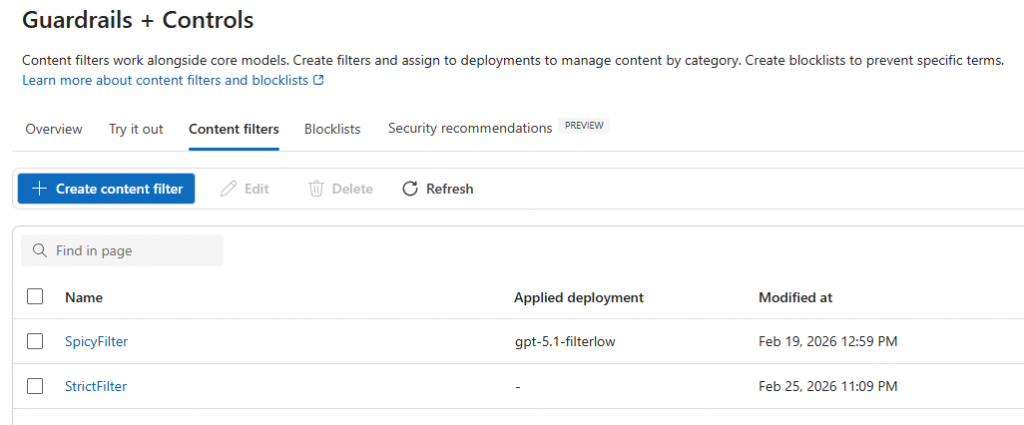
You can make these available on an AI model-by-model basis in Cogniti. For example, you may want an AI model where agent creators can select two different sorts of policies – a strict one or a more permissive one.
Define your policies in Azure #
You need to make sure that you have content filters defined in Azure. Make a note of their names.
Add these policies into Cogniti for each model #
Policies can be added into Cogniti by model.
In the organisation administration screen, navigate to the AI models tab and find the model that you want to define selectable policies for. Enter the policy name exactly as it appears in Azure, into the Policy name textbox and click the plus button.
Note: the policies must be in the same Azure resource as the AI model.

Once they are added, click the Test button to ensure that they are usable.
Ensure you click Save organisation.
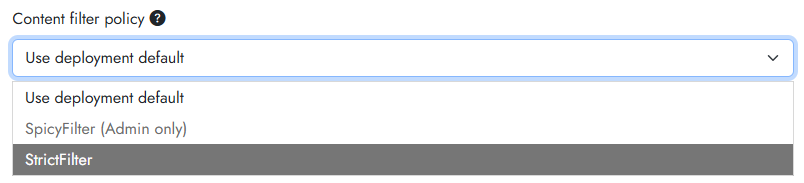
You can specify a default policy, and also make them selectable by agent creators. To allow agent creators to select particular policies, toggle on the Available to agents switch. If this switch is off, then only administrators will be able to select those policies. For example, a non-privileged agent creator might see this: