The AI Conversation Safety Review function allows authorised users to view any manual or automatic flags for content safety.
Organisational administrators and superusers can control:
- Who has access to the review page
- Who gets notified upon a conversation being flagged
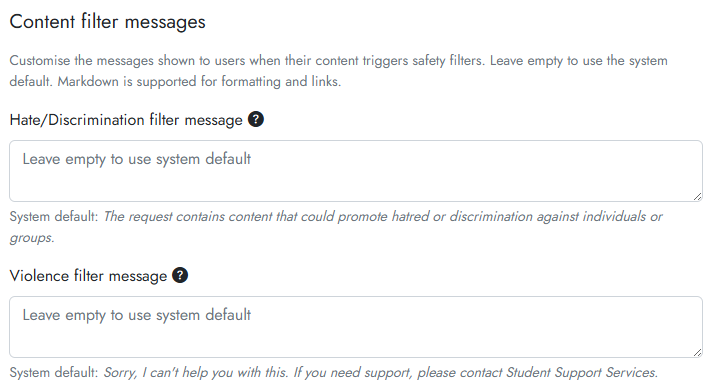
- Custom messages when filters are triggered
How to access the settings #
Organisational administrators #
Enter the Edit Organisation page, and navigate to the AI Safety tab.

Superusers #
Enter the Administrator Controls area and navigate to the AI Safety tab.
Control who has access to view flags #
Organisational administrators #
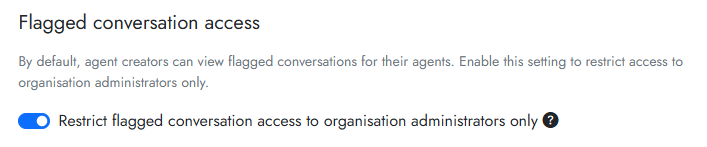
You can toggle whether access to flagged conversations is available only to organisational administrators. Enable this toggle if you do not want individual agent creators to view flagged conversations (i.e. you want to restrict access).
Superusers #
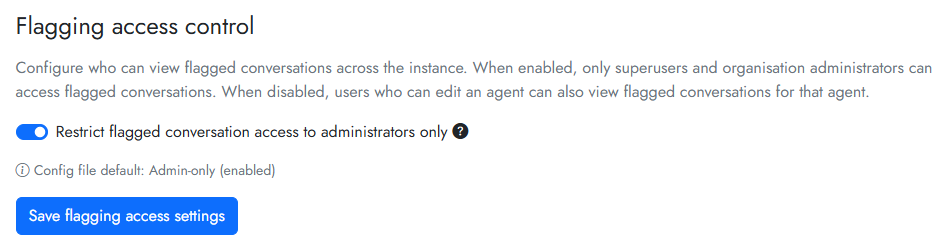
Superusers can override access across the instance by changing the toggle accordingly. Ensure you click Save flagging access settings to save your settings. If this is set to restrict, the setting is unavailable for organisational administrators to edit.
Set who receives notifications #
Organisational administrators #
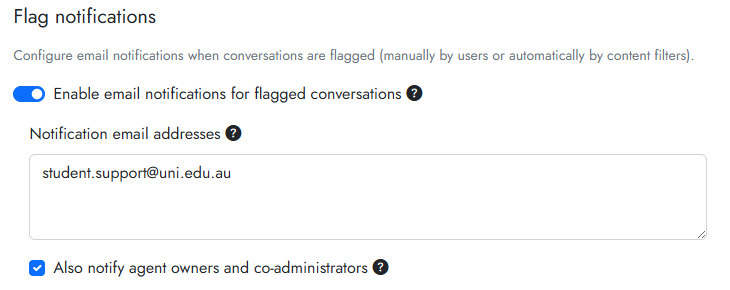
You can enable email notifications and specify recipient email addresses. Additionally, you can set whether the agent owners and co-administrators will also receive a notification. These emails cannot be opted out of.
Superusers #
A similar setting is available that operates across the entire instance. Ensure you click Save flag notification settings to save your settings.
Define custom messages #
When automatic filters are triggered, a message (instead of an AI response) is shown to the user. These messages can be customised at an organisation and/or instance level. Organisation-level custom messages will override instance-level custom messages.
These messages can be set in the Content filter messages section. Remember to save your settings.