Cogniti can interface with Moodle LMS through LTI 1.3.
LTI 1.3 #
The LTI 1.3 connection allows Cogniti agents, interactive mini-apps, and sandboxes to be embedded into Moodle for seamless access by students.
In Moodle Site administration admin, go to Plugins, then Activity modules, then Manage activities, then External tool, then Settings, then Add preconfigured tool.
These are the important settings (the others you can decide for yourself):
- Tool URL: https://app.cogniti.ai/lti/launch
- LTI version: LTI 1.3
- Public key type: Keyset URL
- Public keyset: Please contact us, or view this in your organisation administration screen in Cogniti. It will be typically in the form of https://app.cogniti.ai/lti/jwks/<organisation_id>. Each organisation has its own key. The key is only needed for LTI Advantage services (such as the Names and Roles Provisioning Services).
- Initiate login URL: https://app.cogniti.ai/lti/login
- Redirection URI(s): https://app.cogniti.ai/lti/launch
- Custom parameters
- domain=<your moodle domain e.g. sydney.moodlecloud.com>
- course_id=$CourseSection.label
- course_name=$CourseSection.title
- resource_link_id=$ResourceLink.id
- Tool configuration usage: Show as preconfigured tool when adding an external tool
- Default launch container: Embed, without blocks
- Services
- IMS LTI Names and Role Provisioning: Use this service
- Privacy
- Share launcher’s name with tool: Always
- Share launcher’s email with tool: Always
- Miscellaneous
- Default organisation ID: Site hostname
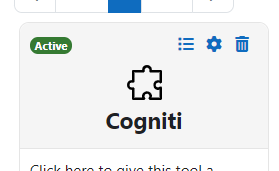
Once the configuration has been established, please make a note of the following so that a Cogniti system administrator can configure this connection on the Cogniti end. You can obtain these details through Site administration admin, then Plugins, then Activity modules, then External tool, then Manage tools, and clicking the list icon or view configuration icon (depending on your Moodle version):
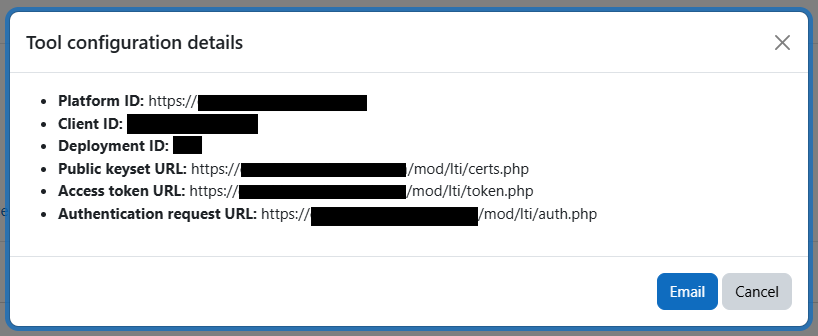
- Platform ID (your Moodle site’s URL)
- Client ID
- Deployment ID
- Public keyset URL
- Access token URL
- Authentication request URL


