As with Cogniti agents, you can embed a Cogniti interactive mini app into the LMS so that it’s easy for your students to access and interact with it.
To do this, your system administrator needs to have set up the LTI connection between Cogniti and your LMS.
Create an Interactive Mini App #
You’ll need to have a Cogniti mini app created first. Ensure it is published.
Embed it into a Canvas page #
Create or edit a Canvas page.
In the rich content editor, click the plugin icon. Choose Cogniti from the dropdown list:

If Cogniti does not appear here, click View All and then select Cogniti from the list.
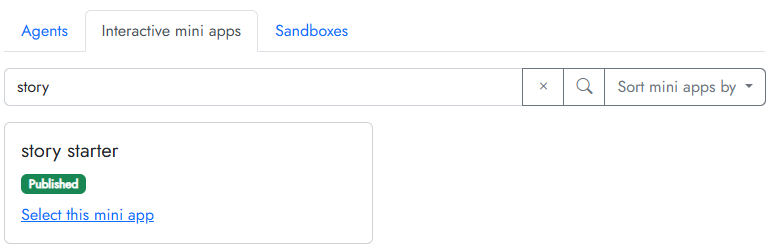
A dialog with a list of Cogniti assets will appear. Click the Interactive mini apps tab. You can search for the mini app you need. Locate the mini app, and then click Select this mini app.
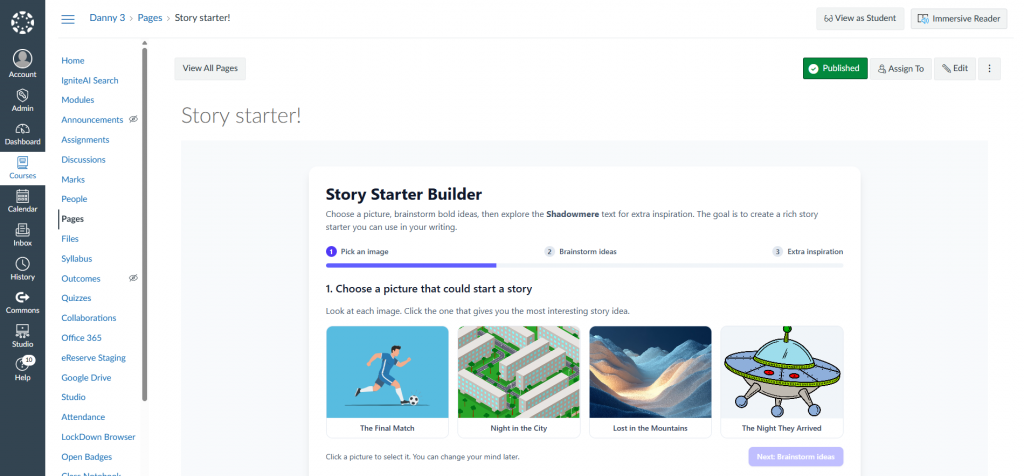
The mini app will then be embedded in your Canvas page. For example:
Embed it into a Moodle course #
Enter edit mode in your Moodle Course.
Add an activity by clicking the Add an activity or resource link.

Choose Cogniti from the list of activities that appears.

Give the activity a name, and click Save and display.

A dialog with a list of Cogniti assets will appear. Click the Interactive mini apps tab. You can search for the mini app you need. Locate the mini app, and then click Select this mini app.
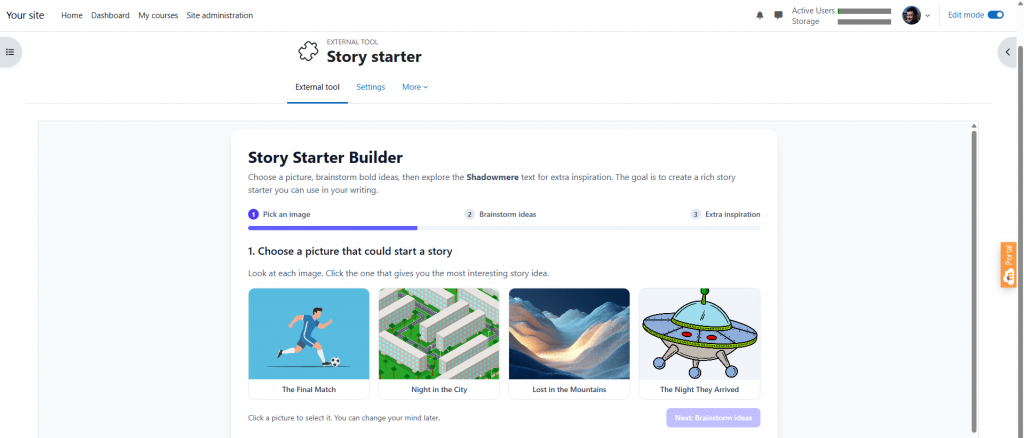
If successfully associated, a message will appear asking you to reload the page.

Reload the page and your mini app will appear in Moodle:
If you need to select a different mini app, repeat the steps above to create a new activity.
In other LMS #
Follow the usual approach to embed an external tool into your LMS.


