These instructions are only intended for an organisational administrator. If you are a teacher or a student, please contact your organisation’s Cogniti administrator.
Enable speech #
A speech service API key must be entered, as 3D avatars requires speech to be enabled.
Enable agent 3D avatars #
Click the organisation icon in the left-hand menu.

If you do not see this icon, ensure you are logged in to Cogniti and you have the right permissions.
Find your organisation from the list, and click the edit icon. A new page will load. If a lock icon appears next to your organisation, it means you are not an administrator for that organisation.
Navigate to the Speech and 3D avatars tab.
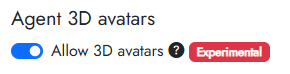
Toggle Allow 3D avatars.
Click Save organisation.


